





It is fair to say that making a PowerPoint file editable in other document formats isn’t all that easy. True, PowerPoint itself does provide a wide variety of options for converting slides into multiple file formats – some of the most common formats supported by the latest editions of PowerPoint include PDF, ODP, JPEG, PNG, WMV, and MP4 – but what would you do if you needed to convert PowerPoint to, say, HTML5 or a mobile friendly video format? Fortunately, there are various third-party converters that can do all that.
If you are looking to convert a PowerPoint file to a format not supported by PowerPoint itself, the best place to go is online. While there are many offline conversion apps that make a lot of claims, they are often broken software applications that work more like a cart without any wheels! Hence, our emphasis is on online converters in this post.
CloudConvert
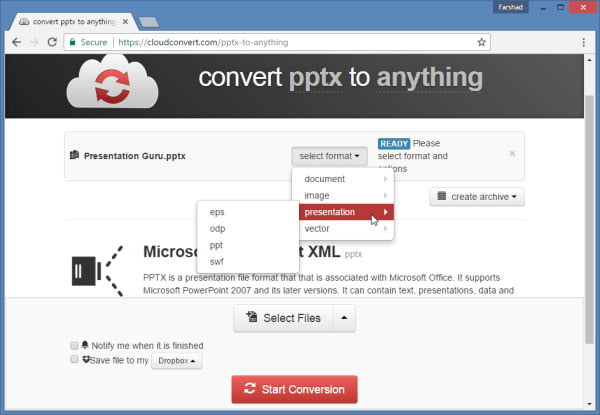
I discovered CloudConvert via Google Drive. It is one of the default suggestions provided by Google Drive when you are looking to open your files with other formats in the cloud. CloudConvert is an amazing free online document converter which supports conversion of files between as many as 215 file formats. It’s not just a great web app for converting PowerPoint presentations but also a great resource for converting document, audio, video, and other types of files from the cloud.
You can get started by uploading a file from your device, via URL or opt to use a cloud service like Dropbox, Box, OneDrive or Google Drive to fetch a file for conversion. After picking a file, simply select a conversion format. Using CloudConvert you can convert PowerPoint files to PDF, HTML, TXT, JPG, PNG, XPS, EPS, ODP, PPT, SWF, EMF and various archive formats.
DocsPal
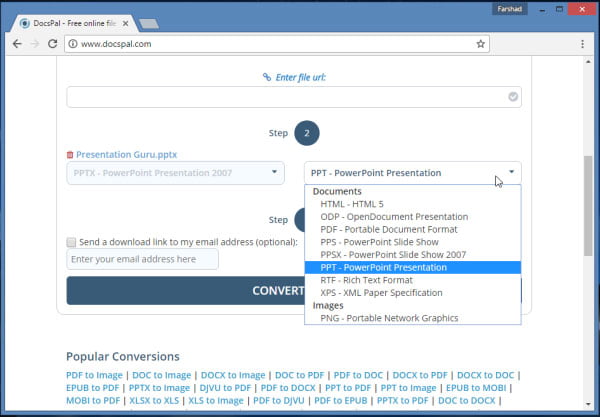
DocsPal is another awesome online file converter for converting various document formats, including PowerPoint presentations. It works pretty much like CloudConvert and supports converting PowerPoint files to HTML5, ODP, PDF, RTF, XPS, PNG and between PowerPoint’s native file formats (PPS, PPSX, PPT, and PPTX).
ZamZar
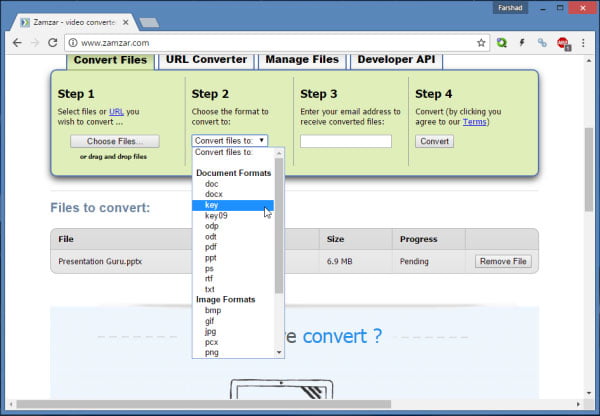
The first thing you will notice when landing on the ZamZar website is a rather ugly interface (believe me I’m not the only one to say that)! However, don’t be fooled by how the site looks like. ZamZar is a hidden gem among online file converters, as it not only has a vast variety of file conversion options but even supports conversion options that are hard to find for PowerPoint.
The vast range of file conversion options provided for PowerPoint files at ZamZar include; Docs, Docx, ODP, ODT, PDF, RTF, TXT, BMP, GIF, JPG, PNG, TIFF, PCX, HTML, HTML5, SWF and most importantly, Keynote formats (KEY and KEY 09). Needless to say, ZamZar also supports file conversion between native PowerPoint formats.
iSpring Suite
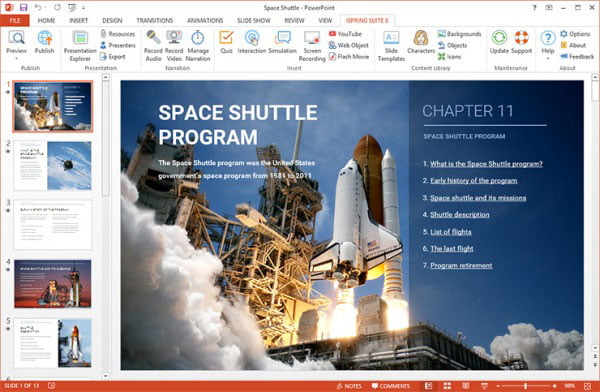
If you’re looking for an offline file conversion utility for PowerPoint, you might want to check out the iSpring Suite. We also covered this PowerPoint add-in back in a post about How to Turn Your PowerPoint into a Video. iSpring Suite is more suitable for converting PowerPoint files to video presentations by recording your narrations. You can also upload your presentations directly to a Learning Management System (LMS) or YouTube, as well as export them to mobile friendly video formats.
What file converter do you use for converting your PowerPoint presentations? Feel free to send us a tip about a good converter we might have missed in our list.


Farshad Iqbal
Latest posts by Farshad Iqbal (see all)
- Let’s look at Interactive Digital Whiteboards - 6th March 2018
- Six of the Best Laptops for Presenters - 16th January 2018
- Where Can I Find Great Clip Art and More for Powerpoint? - 12th December 2017
- The Best Digital Whiteboards for Presenters - 21st November 2017
- The Best Screen Mirroring Apps and Technology for Every Occasion - 24th October 2017